

Trail Buddy: Trail Making Test app
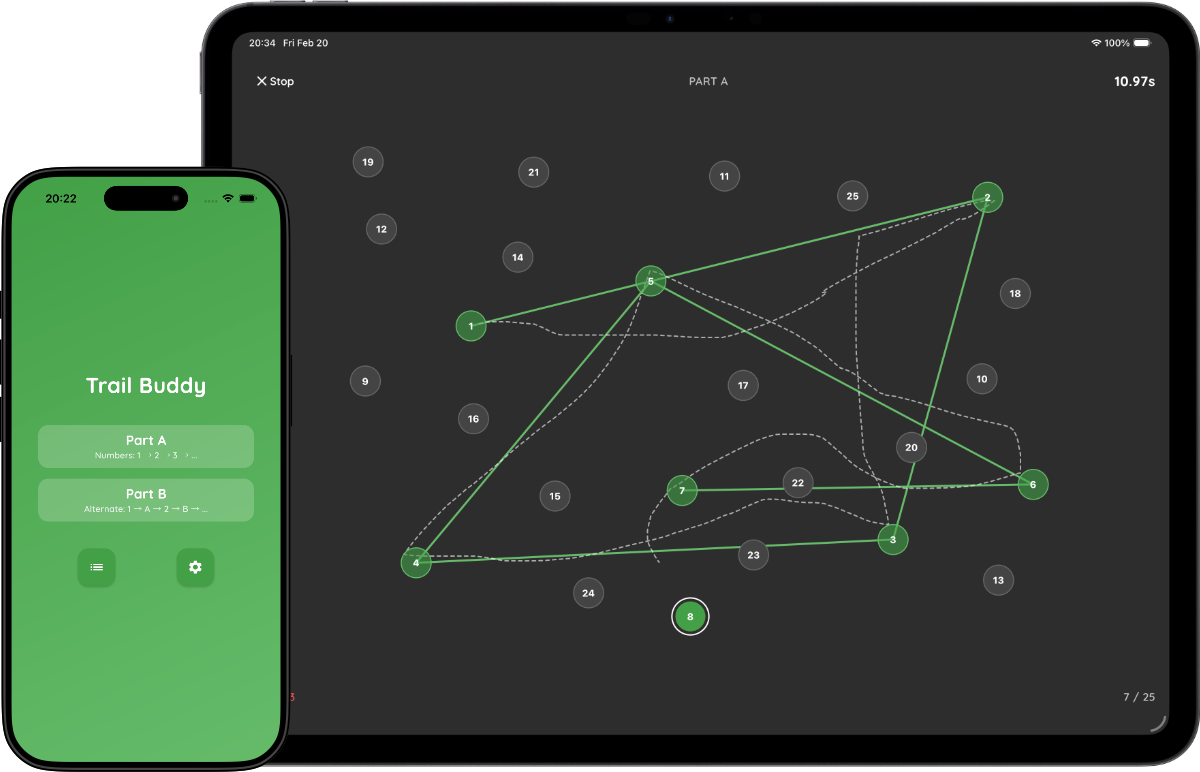
Trail Buddy runs the Trail Making Test (TMT) Part A and Part B on iPhone, iPad and Android. Participants draw a line through the circles in order, and the app records completion time, errors and every tap.
One-time purchase · No subscription · No account · iOS & Android · 9 languages
What the Trail Making Test measures
In Part A, participants connect numbered circles in order (1-2-3…), which measures visual search and processing speed. In Part B, they alternate between numbers and letters (1-A-2-B…), which adds task switching and cognitive flexibility. The difference between Part B and Part A is a common measure of executive function.
Settings
- Part A or Part B: chosen on the start screen for each test.
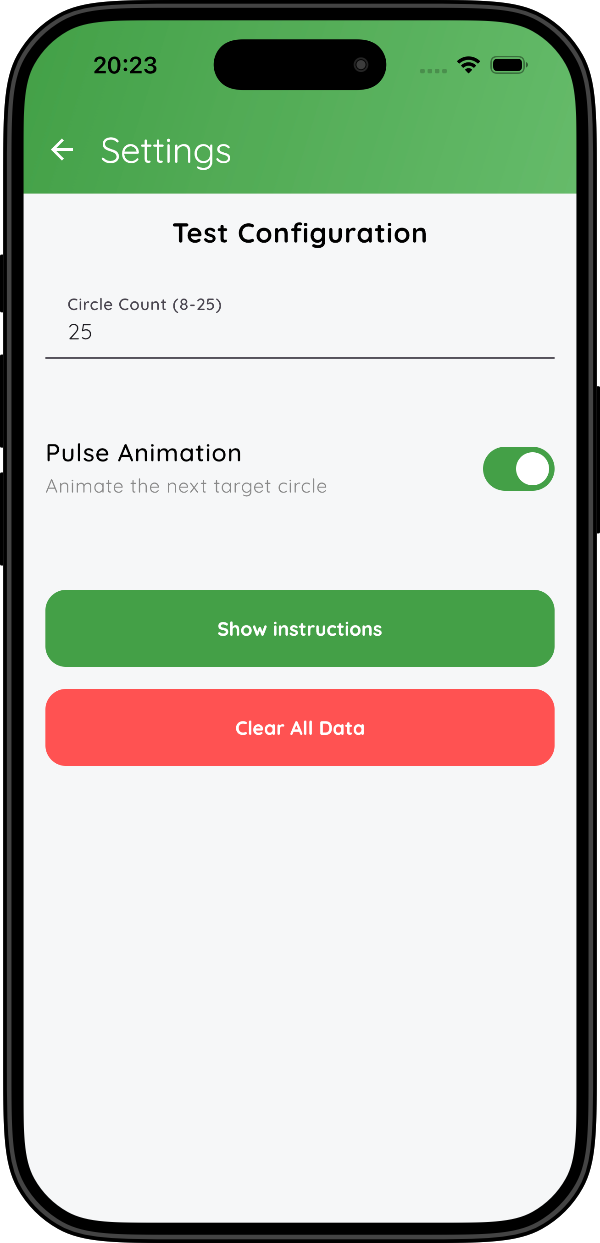
- Number of circles: 8 to 25 (default 25, the standard length). In Part B, 25 circles run from 1 to 13 and A to L.
- Pulse animation: on or off (default on). When on, the next target circle pulses as a hint.
A 3-second countdown starts each test. The circles are placed at random for every test, so each participant sees a new layout. Published norms for the paper Trail Making Test do not apply directly to these layouts; compare results within your own study.
Results and CSV export
The app records the completion time, from the end of the countdown to the last correct circle, and the number of errors, meaning wrong circles touched. After each test you can add a test name, remark, sex and age.
Each session in the CSV starts with the part, circle count, pulse setting, completion time, errors, test date and participant details, followed by one row per tap with the columns Target Index,Tapped Index,Correct,Timestamp,Time Since Last Correct (ms). Compute the B − A difference or B/A ratio from the completion times in Excel, SPSS, R or Python.
Data and privacy
Trail Buddy has no account, no server and no analytics. Test results are stored only on the device and leave it only when you export a CSV. On Android, the system's own device backup may include app data. See the privacy policy for details.
Timing
Times are recorded with millisecond resolution using the device clock. Completion time also depends on screen size, so use the same device type for comparisons within a study. Trail Buddy runs on iOS 18.2 or later (iPhone and iPad) and Android 7.0 or later.
For research and education. Research Buddies apps are not medical devices and are not intended for diagnosis or treatment.
Trail Buddy FAQ
Can I use this app for my bachelor or master thesis?
Yes. Trail Buddy is designed to make it easy to run Trail Making Test sessions that you can compare over time and relate to other cognitive measures in your study.
What is the difference between Part A and Part B?
Part A asks participants to connect numbered circles in order (1-2-3…), measuring basic processing speed. Part B requires alternating between numbers and letters (1-A-2-B…), adding a task-switching component that tests cognitive flexibility.
Does the app record errors as well as completion time?
Yes. Trail Buddy logs both completion time and errors, and the CSV contains every tap, so you can check each error yourself.
Can I compare scores with published TMT norms?
Not directly. Norms come from the standard paper layouts, while Trail Buddy generates a new random layout for each test on a touchscreen. Use the app to compare participants and conditions within your own study.
How do I cite Trail Buddy?
Cite it as software, for example in APA 7 style: Byrt. (Year). Trail Buddy (Version x.y) [Mobile app]. https://researchbuddies.com/trail-buddy. Fill in the version you used and the year it was released. Both are shown on the app's App Store or Google Play page.
Reference
- Reitan, R. M. (1958). Validity of the Trail Making Test as an indicator of organic brain damage. Perceptual and Motor Skills, 8(3), 271–276.
Use Trail Buddy with other Research Buddies apps
Combine Trail Buddy with Stroop Buddy for Stroop Tests, Vigilance Buddy for Psychomotor Vigilance Task (PVT) tests, NBack Buddy for N-back working memory tasks, Go/No-Go Buddy for response inhibition, and Flanker Buddy for selective attention (Eriksen Flanker) tests, or visit the Research Buddies home page to discover all apps.