

NBack Buddy: N-back task app
NBack Buddy runs a spatial N-back working memory task on iPhone, iPad and Android. Choose a level from 1-back to 5-back, run a timed session and export every trial for analysis.
One-time purchase · No subscription · No account · iOS & Android · 9 languages
What the N-back task measures
In the N-back task, participants see a sequence of stimuli and decide for each one whether it matches the stimulus shown N steps earlier. Higher N levels place more load on working memory, which makes the task a standard measure of working memory capacity and updating in cognitive research.
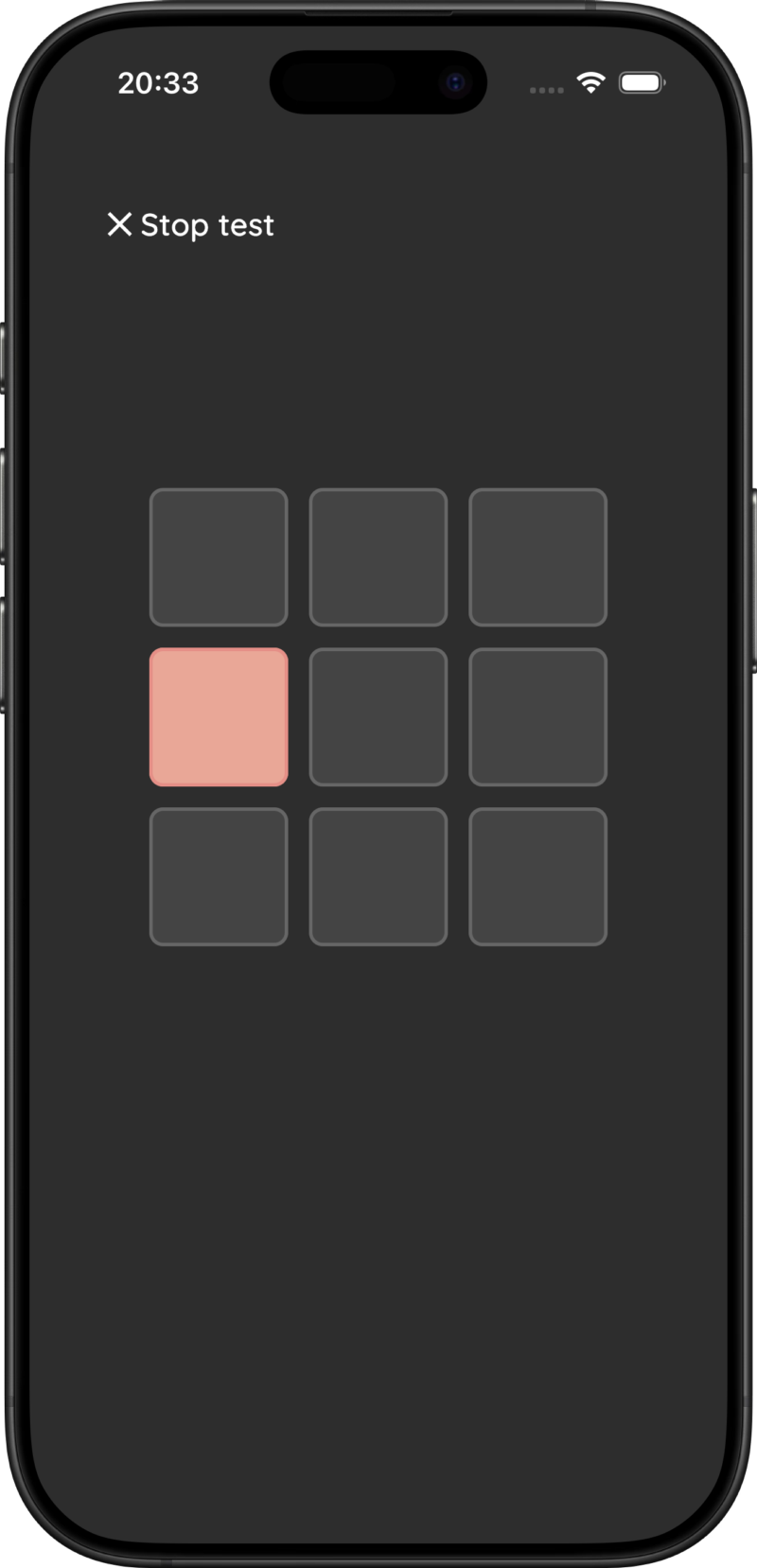
NBack Buddy uses the spatial version: one cell of a 3×3 grid lights up per trial, and participants answer Match or No Match.
Settings
- N level: 1 to 5 (default 2).
- Stimulus duration: in milliseconds (default 300, minimum 100).
- Response window: time to answer after the stimulus disappears, in milliseconds (default 2500, minimum 500).
- Test duration: in minutes (default 5).
About 30% of trials are targets; the first N trials never are. The answer buttons appear once the stimulus has disappeared. A trial without an answer counts as incorrect, so a correct rejection requires tapping No Match.
Results and CSV export
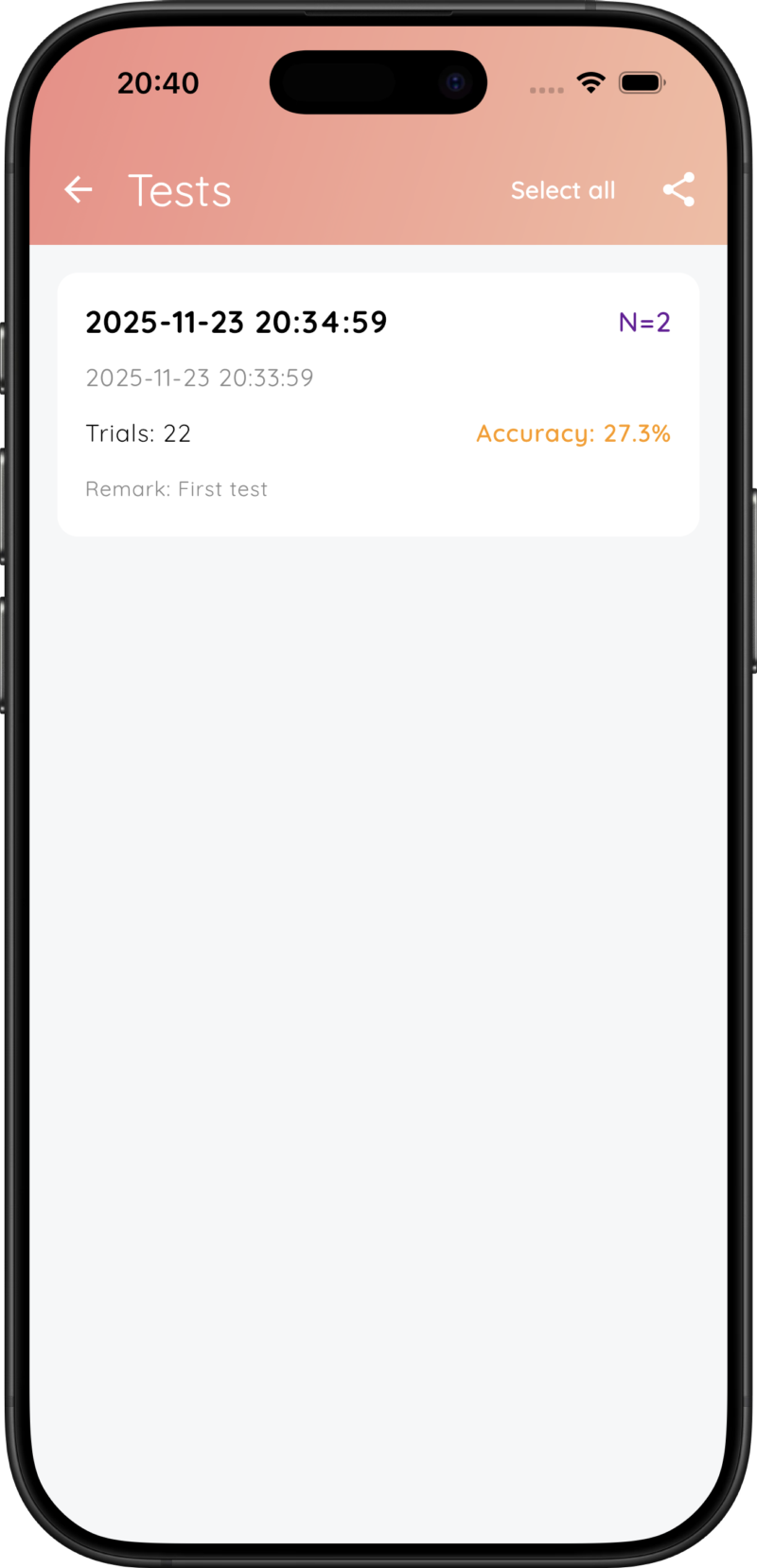
After each test you can add a test name, remark, sex and age. The app shows the accuracy of each session in the test list. The CSV starts each session with its N level, then has one row per trial with the columns Position,Should Match,User Response,Correct,Timestamp,Response Time (ms), followed by the test duration, the average, fastest and slowest response time, correct responses, total trials and accuracy.
Response times are measured from stimulus onset. Because each row says whether the trial was a target and what the participant answered, you can derive hits, false alarms, misses, correct rejections and d′ in Excel, SPSS, R or Python.
Data and privacy
NBack Buddy has no account, no server and no analytics. Test results are stored only on the device and leave it only when you export a CSV. On Android, the system's own device backup may include app data. See the privacy policy for details.
Timing
Response times are recorded with millisecond resolution using the device clock. As with any touchscreen task, the screen and touch sensor add a small delay that differs between devices, so use the same device for comparisons within a study. NBack Buddy runs on iOS 15 or later (iPhone and iPad) and Android 7.0 or later.
For research and education. Research Buddies apps are not medical devices and are not intended for diagnosis or treatment.
NBack Buddy FAQ
Can I use this app for my bachelor or master thesis?
Yes. NBack Buddy is designed to make it easy to run N-back sessions that you can compare over time and relate to other measures in your study.
Can I change the N level and session length?
Yes. You can set the N level from 1 to 5, the stimulus duration, the response window and the test duration so they match your assignment or research protocol.
Does it have an auditory or dual N-back mode?
No. NBack Buddy runs the visual-spatial N-back task on a 3×3 grid.
Is it also useful for personal practice?
Yes. Besides research, you can use NBack Buddy to practise the N-back task and follow your own accuracy over time.
How do I cite NBack Buddy?
Cite it as software, for example in APA 7 style: Byrt. (Year). NBack Buddy (Version x.y) [Mobile app]. https://researchbuddies.com/nback-buddy. Fill in the version you used and the year it was released. Both are shown on the app's App Store or Google Play page.
Reference
- Kirchner, W. K. (1958). Age differences in short-term retention of rapidly changing information. Journal of Experimental Psychology, 55(4), 352–358.
Use NBack Buddy with other Research Buddies apps
Combine NBack Buddy with Stroop Buddy for Stroop Tests, Vigilance Buddy for Psychomotor Vigilance Task (PVT) tests, Trail Buddy for Trail Making Tests, Go/No-Go Buddy for response inhibition, and Flanker Buddy for selective attention (Eriksen Flanker) tests, or visit the Research Buddies home page to discover all apps.